
...

IPTV Smarters | USA’s Premier IPTV Service Provider

How to Install and Watch IPTV Smarters on Hisense Smart TV (Step-by-Step Guide 2025)

Follow these simple steps:

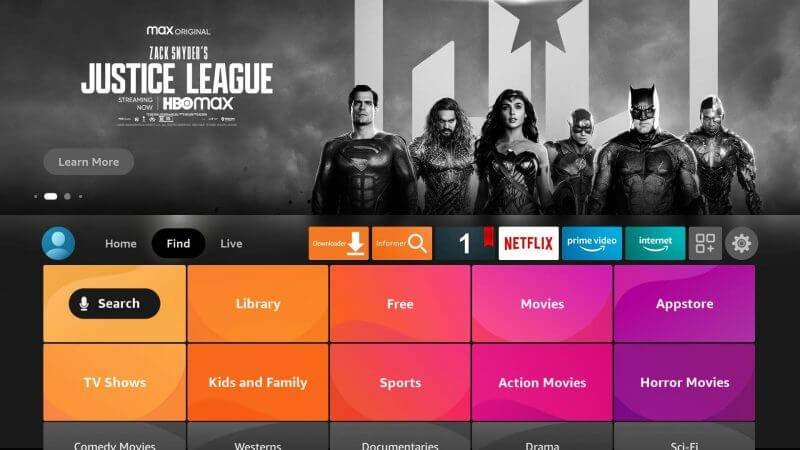
  • Go to the Home Screen on your Hisense Fire TV using your remote.
  • Navigate to the “Find” tab from the top menu options.
  • Click on the “Search” icon located just below the Find menu.
  • In the search bar, type “IPTV Smarters” to locate the app.
IPTV on Hisense Smart TV
  • Launch the Search Function on your Hisense Fire TV Home Screen.
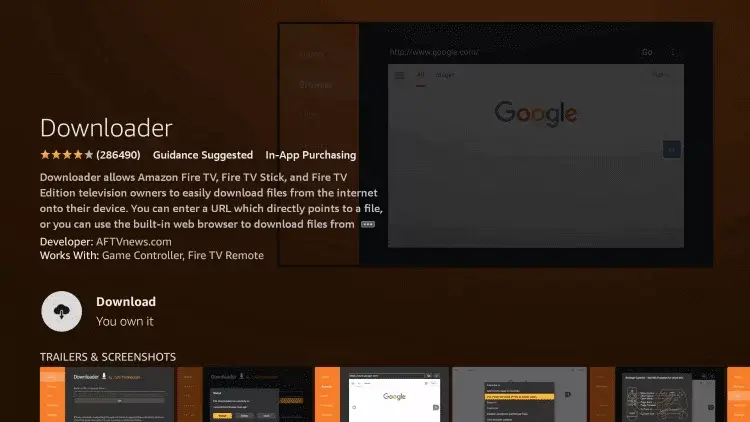
  • Use the On-Screen Keyboard to type “Downloader” in the search bar.
  • Select the Downloader App from the list of search results.
  • Click on “Get” or “Download” to start installing the Downloader app.
IPTV on Hisense TV
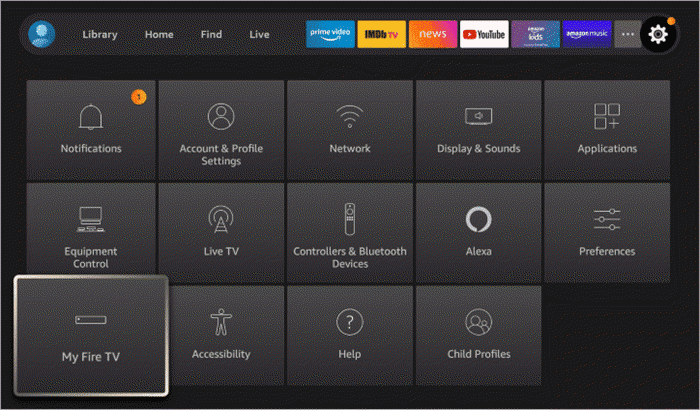
  • Once the Downloader App is Installed, return to the Home Screen of your Hisense Fire TV.
  • Click on the “Settings” Icon located on the right side of the top menu.
  • Scroll Down and Select “My Fire TV” from the list of available settings options.
IPTV on Hisense TV
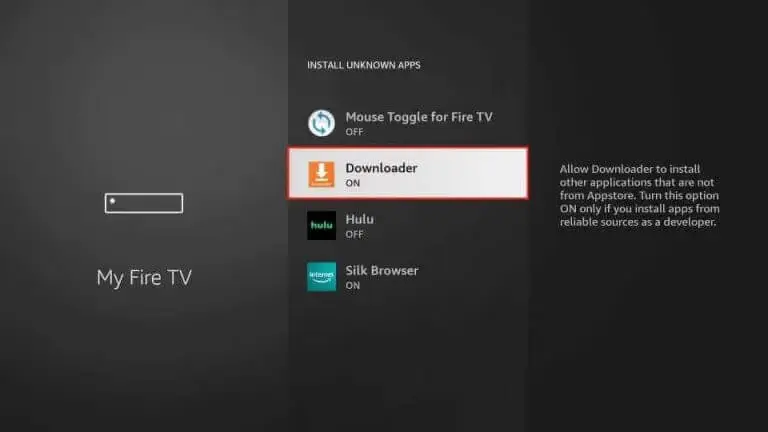
  • Navigate to “Developer Options” in the My Fire TV menu and select it.
  • Click on “Install Unknown Apps” to open the permissions menu.
  • Find and Select “Downloader”, then toggle it ON to allow IPTV installation.
IPTV on Hisense TV
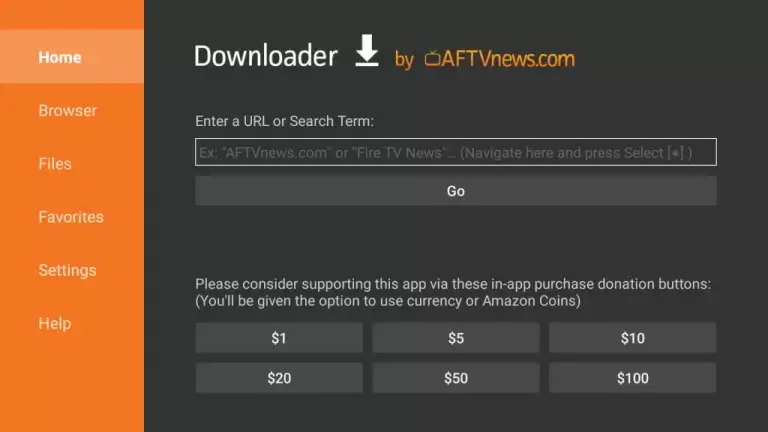
  • Launch the Downloader App on your Hisense Fire TV.
  • Click “Allow” to grant necessary permissions.
  • Select “Home” from the left-hand menu.
  • In the URL field, enter the official IPTV Smarters Pro APK link:
    👉 Click Here
    OR
    Use the Downloader App Code: 740392
  • Tap “Go” to begin downloading the IPTV Smarters Pro APK.
  • Follow on-screen instructions to complete the installation.

✅ Now you’re ready to stream IPTV smoothly on your Hisense Fire TV!

IPTV on Hisense TV
  • Once the APK download is complete, open the file to start the installation.
  • 🔧 Tap “Install” to begin setting up IPTV Smarters Pro on your Hisense Fire TV.
  • Wait a few minutes for the installation to finish successfully.
  • 📺 Launch the IPTV Smarters Pro app directly from your apps menu.
  • 📘 Need help with setup? Follow the step-by-step IPTV Smarters Pro setup guide here.
Seraphinite AcceleratorOptimized by Seraphinite Accelerator
Turns on site high speed to be attractive for people and search engines.