

How to Set Up IPTV on Perfect Player – Complete Installation & Configuration Guide (2025)
Step-by-Step Guide to Install Perfect Player IPTV on Android:
Open the Google Play Store on your Android smartphone or tablet.
In the search bar, type “Perfect Player IPTV” and tap Install to download the app.
After installation, launch the Perfect Player app from your home screen or app drawer.
Tap the Settings (gear) icon in the top menu.
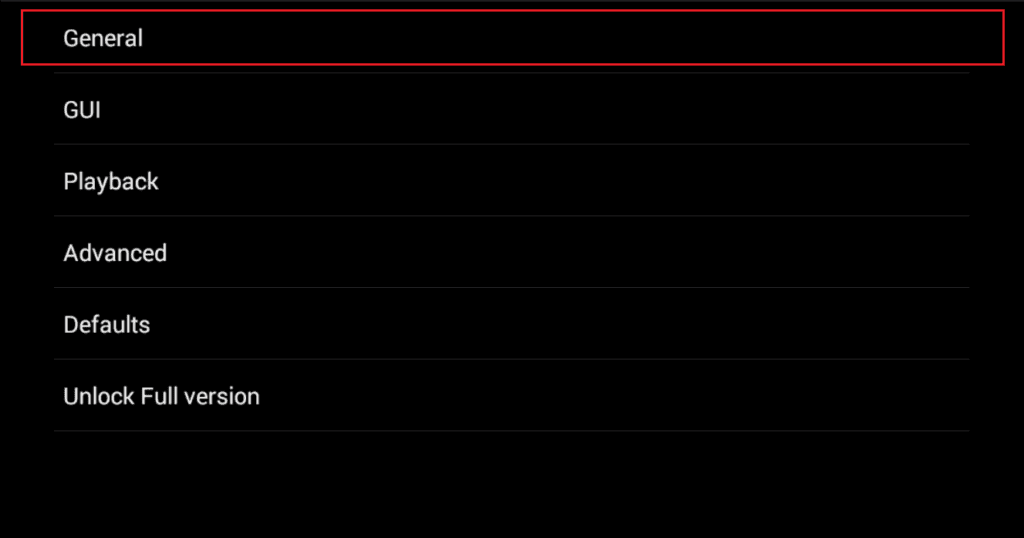
Navigate to the “General” section to begin configuring your IPTV settings.
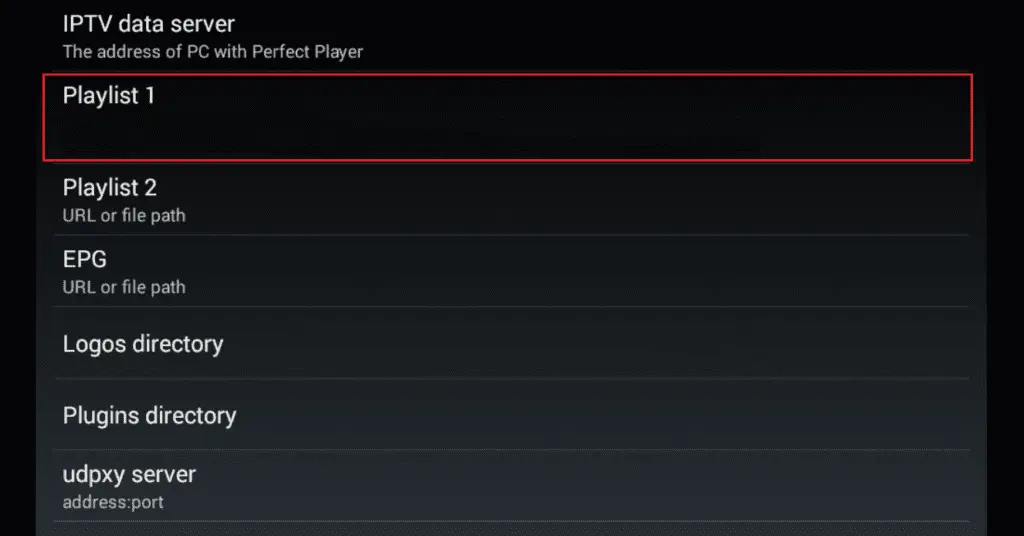
In the “IPTV Data Server” field, type a custom name for your provider (e.g., IPTV Smarter). Then, under “Playlist 1”, paste the M3U playlist URL you received via email.
📺 How to Add EPG in Perfect Player – Step-by-Step IPTV Setup Guide
Enter EPG URL:
Go to the EPG (URL or file path) section in Perfect Player settings and paste the EPG link provided in your IPTV Smarter email.Download Channels & Guide:
Return to the main screen and allow Perfect Player to download your IPTV playlist and EPG data. This process may take a few moments.Verify Download Completion:
Once the download is complete, check the top-right corner — it will display the number of available IPTV channels and EPG entries.Restart the App:
Fully restart Perfect Player IPTV to finalize your setup.
✅ You’re all set! Start browsing through channels with a complete Electronic Program Guide for a smooth, TV-like experience.
📹 Need help? Watch the Full Video Tutorial Here
